Showing posts with label mac. Show all posts

Wednesday, 29 January 2014

Apple patents Solar-Powered Mac Books
Apple patents Solar-Powered Mac Books


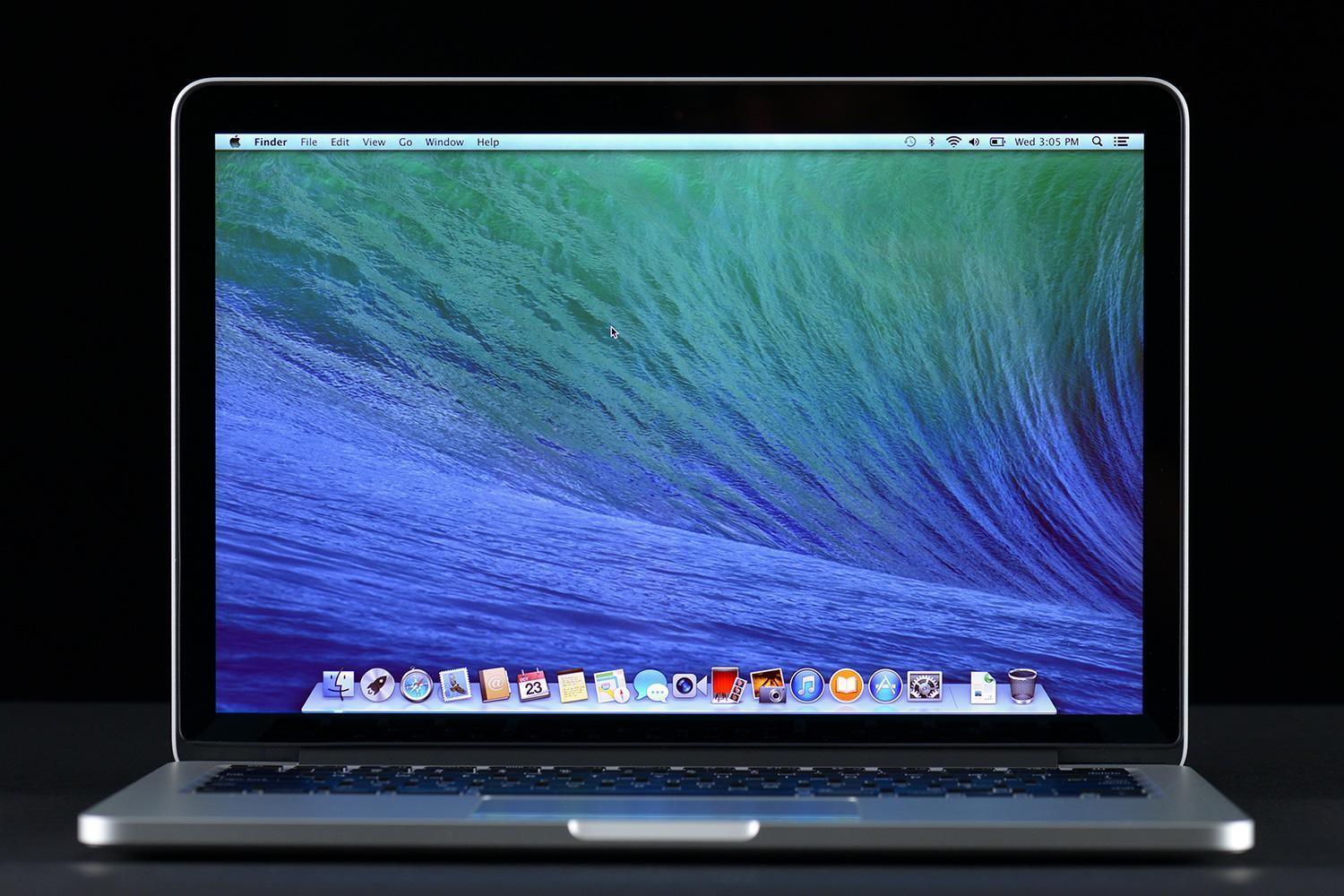
Apple today was awarded a patent for a MacBook that would be powered with solar cells (photovoltaics), meaning your laptop could be powered or at least recharged through light.
The patent, titled " Electronic device display module" describes a two-sided display for the lid of a portable computer, such as Apple's MacBook. The front of the lid facing the user would still sport the typical display screen but the rear would serve as more than just a cover.
The patent describes a rear plate made of "electrochromic glass" also known as " smart glass" or "switchable glass."
"Electrochromic glass, which is sometimes referred to as electrically switchable glass, may receive control signals (e.g., voltage control signals) from control circuitry," the patent submission states. "The control signals can be used to place electrochromic glass in either a transparent (light-passing) state or a translucent (light-blocking) state."
A sketch of the proposed laptop, which uses an electrochromic glass back panel that can be made opaque or translucent through a small electrical charge. The back panel would have solar cells embedded in it to collect power from light.
In the light-blocking state, the interior of the MacBook's display would be hidden from the exterior view; the rear panel would appear opaque or translucent.
In the light-passing state, the rear panel would appear clear and allow images or other light output from status light-emitting diodes or other light sources, Apple stated.
The solar cells would be placed under the electrochromic glass layer on the rear plate.
"For example, photovoltaic cells may be interposed between a glass layer (rear plate) and liquid crystal display structures for display," the patent states. Photo voltaic cells produce electricity when exposed to light.
When the laptop is near a light source, the light rays would pass through the electrochromic glass that forms the rear plate.
The solar cells would take in light as it passed through the glass, converting it into electrical power at a rate of 10 milliwatts or more.
Apple proposed that the solar cells would be capable of producing from 100 milliwatts to 1 watt "or even more" in order to charge the laptop's battery or power the computer while it is in use.
The rear smart glass could also be used to display Apple's logo by incorporating an additional light emitting diode layer as well as backlighting.
"To ensure that display is evenly illuminated, the back light unit that provides backlight for display... may be provided with light-emitting diodes that are arranged along more than one of the edges of the light guide layer in the back light unit," Apple stated.
This article, Apple patents solar-powered MacBook, was originally published at Computerworld.com

Monday, 27 January 2014

Mac 30th Celebration - Mac team members share their stories

The Mac had a birthday last Friday, and what's a birthday without a celebration? Apple employees at One Infinite Loop celebrated with a private concert by OneRepublic. But what about everyday Mac users? Many of them gathered at Cupertino's Flint Center last Saturday night to attend the Mac 30th Celebration, organized by All Planet Studios, the Computer History Museum, and Macworld/iWorld. [Editor's disclaimer: Macworld/iWorld is an event run by IDG World Expo, a sister company to IDG Consumer & SMB, Macworld's parent company.]
In a panel moderated by New York Times senior writer John Markoff, Daniel Kottke, Rod Holt, Marc LeBrun, Jerry Manock, and Larry Tesler talked about the very early days of the Mac development.
Holt, who designed the Apple II power supply and was a Mac engineer, talked about what made the Mac different from other computers. "The thing that drove the group was not just Steve Jobs with a whip outside the office, it was the fact that the Macintosh was becoming a computer that we wanted." Holt went on to talk about how the Apple II was also a computer that its makers wanted. "This process of invention is very unusual," he said. "I think the world could use a lot more of it."
Holt also made a point to recognize Burrell Smith, an engineer on the Mac team who designed the motherboard. "He was the closest we ever came to having another Steve Wozniak," Holt said. "He was indomitable. Steve [Jobs] would say, Let's not do it this way, let's do it that way,' and Burrell would scratch his head and say okay, and two days later it would be that way."
The second panel moderated by Wired's Steven Levy. It was filled with tales of the Mac from some of the people who made it: Bill Atkinson, Steve Capps, George Crow, Andy Hertzfeld, Bruce Horn, Caroline Rose, and Randy Wigginton.
Many of the stories told by the members of the second panel are familiar to die-hard Mac fans. Capps told the story of the pirate flag, Crow told the story behind the Mac's floppy disk drive, Hertzfeld talked about how Jobs didn't want cursor keys on the keyboard in order to force people to use the mouse.
When Levy asked the group how they knew if anything would actually work, Atkinson talked about how software designers have a "blind spot," where they don't see things that others do. "You may have a cool idea, but if you try it on people and they get confused and they feel stupid, find a different way," said Atkinson. "The Lisa and Mac user interfaces got debugged into existence, thousands and thousands of individual mistakes at a time."
Steve Jobs' reputation as a tough, demanding, and abrasive manager is well documented, but the members of the original Mac team found ways to handle Jobs. "Steve wasn't an engineer," said Atkinson, "but he knew how to get the best out of people."
At the end of the second panel, Mike Marukkula came out with a speech to honor the Mac team. Markkula, known as Apple employee number three, was then honored with a statue of six hands holding up a Mac and an inscription that read, "Apple and Macintosh would never have happened without you. Your participation changed the world." The members of the Mac team in attendance then took to the stage to pose for a photo.
The rest of the event featured a look at Apple's advertisments by Steve Hayden, a copywriter for the 1984 commerical and other Apple ads; and a panel of third-party software developers who shared their stories on how they started their businesses on the Mac.
The event ended with a letter to the Mac, written by Jerry Manock on behalf of the Macintosh team. It was read by Patti Kenyon, Mancock, and Caroline Rose and is available for download as a PDF:
Dear Mac:
Today you are celebrating your 30th birthday. Here are some things we wanted you to know as you enter your fourth decade:
Your early family really loved you...they had a lot of fun being pirates and worked very hard together before you were born.
You were a cute, chubby little baby but have grown up to be as slender as a #2 pencil with the power of a NFL middle linebacker.
You were writing and drawing sketches at a very early age. Who would have guessed that you would now be making movies all by yourself and sharing them with people around the world.
Your list of accomplishments is truly astounding! We are very, very proud of all the tasks you have mastered...many more than we had ever imagined.
Never forget that your parents wanted you to always be respectful of the individuality of your users...and we hope that you will continue to help them communicate their uniqueness to each other.
Do not let vanity and compliments about your beauty stop you from always remembering your core purpose of fostering innovation and creativity in others.
Finally, don't forget to keep your sense of humor! True artists not only ship... they laugh! Don't forget about that little Mac Man that used to run across the Desktop every once-in-a-while!
So have an insanely great Happy Birthday! We all wish you continued success in your next 30 years helping pilot The Mother Ship.
Sincerely yours,
Jerry Manock, for the 1984 Macintosh Development Team

Tutorial to install OSX Mavericks on PC

Want to install Mac OS X Mavericks Hackintosh on your PC? Thanks to the latest UniBeast release which adds support for Mavericks, you can now have best of both worlds (Windows and Mac) on your Intel-based PC.
The following guide will help you install OS X Mavericks v10.9 on your PC.
mavericks hackintosh
Requirements:
  • Access to Mac for downloading OS X Mavericks from MAS and creating UniBeast drive.
  • 8GB+ USB flash drive.
  • An Intel based PC capable of running Mavericks.
Guide on how to install OS X Mavericks Hackintosh on your PC:
Step 1: On your Mac, download OS X Mavericks for free from the Mac App Store. Make sure the downloaded installation file is in /Applications folder.
hero
Step 2: Download the latest version of UniBeast and MultiBeast from here.
Step 3: Format your USB flash drive using Disk Utility on Mac with the following settings:
  • Start Disk Utility on Mac. Select your USB drive from the left hand column.
UniStep3
  • Select the Partition tab from the right side. Click on Current dropdown menu and choose1 Partition.
  • Now click on Options… button, select Master Boot Record.
UniStep5
  • Type ‘USB’ as the Name for the drive. Select Mac OS Extended (Journaled) as Formattype.
UniStep6
  • Once done, click on Apply followed by Partition.
Step 4: Now start UniBeast that you downloaded in Step 2 above.
Step 5: Skip through the first few screens by clicking Continue or Agree, until you get toDestination Select screen.
Mavericks Hackintosh 3
Step 6: Select your USB drive and click Continue to proceed.
Step 7: On Installation Type screen, make sure Mac App Store Mavericks – 10.9 is selected in packages. Additionally, select Legacy USB Support if you are using an old system with Socket 1156. Select Laptop Support package if you are installing it on a notebook PC. Once done, clickContinue, enter admin password for your Mac if prompted, and let UniBeast make a bootable Mavericks hackintosh USB flash drive for your PC.
Mavericks Hackintosh2
Once done, move MultiBeast file that you downloaded in Step 2 above to this bootable Mavericks hackintosh USB drive (you will need this later).
Step 8: Now insert this bootable Mavericks hackintosh drive in your PC. Make sure the BIOS is set to boot the system from USB devices. When you boot from the USB drive, you will see Chimera boot screen, select “USB” and hit Enter on keyboard to continue.
Step 9: Once you are into OS X installer, you need to format the HDD you want to install Mavericks to using Disk Utility with the following settings:
  • On the menu bar, click on Utilities, then start Disk Utility.
  • Select the HDD you want to install OS X to from left hand side.
  • From right side, click on Partition tab, then click on Current dropdown menu and choose 1 Partition.
  • Now click on Options… button, choose GUID Partition Method.
  • Type ‘Macintosh HD’ as the Name for HDD. Select Mac OS Extended (Journaled) asFormat type.
  • Click on Apply followed by Partition to partition the drive.
Step 10: Once done, close the Disk Utility program, go back to the installer. Select “Macintosh HD” as the drive you want to install OS X to.
photo-21
Click on Install for the installation to begin.
photo (3)
You’re almost there! Once the OS X installation is complete, you need to make this HDD bootable. This can be done using MultiBeast utility. MultiBeast can not only make OS X HDD bootable, but can also install the required drivers for audio, WiFi, graphics, LAN and more.
Step 11: Reboot your system again using the bootable Mavericks hacktintosh flash drive. From the Chimera boot screen, select “Macintosh HD” this time.
Step 12: Start MultiBeast, from here, choose all the drivers required for your PC. Once done, click on Build followed by Install to complete the installation.
Mavericks Hackintosh 1
Mavericks Hackintosh (1)
That’s it! You now have fully working OS X Mavericks installed on your PC.
Mavericks Hackintosh

Wednesday, 22 January 2014

5 Smart Ways To Keep Your IP Addresses From Being Tracked

5 Smart Ways To Keep Your IP Addresses From Being Tracked


Websites are pages of the web which are made containing information, audio and video files, images and much more. A website is hosted by a server and each computer has a name or an IP address through which you can find it to get the information that has been added to your web page in the computer network.
An IP address stands for Internet Protocol and it consists of numeric codes that are given to each computer that is participating in the computer network and communication. You should never confuse an IP address with the URL of a website. IP addresses are different for different websites.
These IP addresses can even be hacked and that is why you must try to make your IP as secure as possible in order to prevent it from getting tracked. There are many ways by which you can secure your IP address.

Using a Fixed IP Address

The very first thing that catches your eye when you search on how to secure your IP address is the consistency of your IP address. You must make sure that the IP address that you have come up with is not static. Although most gamers and others who travel a lot might prefer a static IP address, it must be kept in mind that once a hacker figures it out, he can attack again and again, trespassing on your virtual property.

 Link with DSL Account

Another factor to be considered involves your DSL account. Technically, an IP address is linked to your DSL account via a cable. This way the IP address does not change until the device is turned off. So you must try to power it off as often as possible every time you turn it on, there will be a different IP address visible and thus, harder to track than a constant one.

 Ensure a Unique User Agent

Every computer has a user agent and every time you log on to the internet, the browser gets to know about it and thus, someone can easily track it. However, if that user agent is unique, no one would be able to track it.

 Avoid Cookies!

Another thing that can secure your IP address is if you do not allow cookies in your computer, as cookies are something that can be used to track a computer. So for this purpose, you need to go to your browser settings and turn off the cookies option, or delete them once you are done browsing or surfing the internet.

 Download Protective Software today!

Another way to avoid getting your IP address tracked is to download software that provides protection against revealing your identity. This software helps you in securing your IP address. There is TOR, UltraSurf, MegaProxy along with other such software that are free of cost and can be used to ensure a safe browsing on the net. The windows Firewall must always be turned on and if you are using some other antivirus, make sure it’s firewall is turned on. Also, keep the software updated so that latest breaches can be tackled effectively.
Moreover, you must be very cautious and avoid clicking on random links from where you log on to a website. Instead of clicking on it, you can write it in the address bar and then browse, or you can just type it in the domain name of the website and get the results.
Cyber net is useful as well as dangerous at the same time. It is totally up to you to keep track of your security. So be on your toes at all times and employ the above-mentioned ways to keep hackers from accessing your PC.

NSA Can Access All your data even if you are offline!

According to news reports, the U.S. government's electronic spy agency has developed technology to penetrate targeted computers, even if they are not connected to the Internet.

The New York Times says for at least five years the National Security Agency has been secretly implanting tiny electronic circuits capable of transmitting data on covert radio channels.

Briefcase-sized relay stations can pick up those signals kilometers away and transmit them to the spy agency's headquarters.

According to the reports, the new technology solved the problem of accessing computers that U.S. adversaries tried to make impenetrable.

Sometimes the circuits were hidden in cables used for connecting computers to peripheral devices, such as keyboards or speakers. The hardware was mostly implanted by U.S. spies, but sometimes by manufacturers or unwitting users.

The spying hardware and software can stay active for years without being detected. It can be turned on or off remotely, acting as digital sleeper cells' to be activated as needed.

Government and military agencies around the world, as well as private companies, employ computer software called firewalls' to prevent unauthorized access. But all spy agencies try to develop software that can breach those walls.

The German newsmagazine Der Spiegel says it had access to a 50-page NSA document listing software that can survive reboots and upgrades in targeted computers, securing permanent access to their networks.

According to Der Spiegel, many of those weapons are remotely installable over the Internet while others require direct access to the device.